
Carb tracker app for diabetes records
Glytrio is a carb tracker app for manual food, serving, user-entered carb and bread-unit records, with reusable meals and glucose context in one iOS and Android diary. Barcode lookup and optional photo estimates create editable drafts that need review before saving; the app is not a bolus calculator.
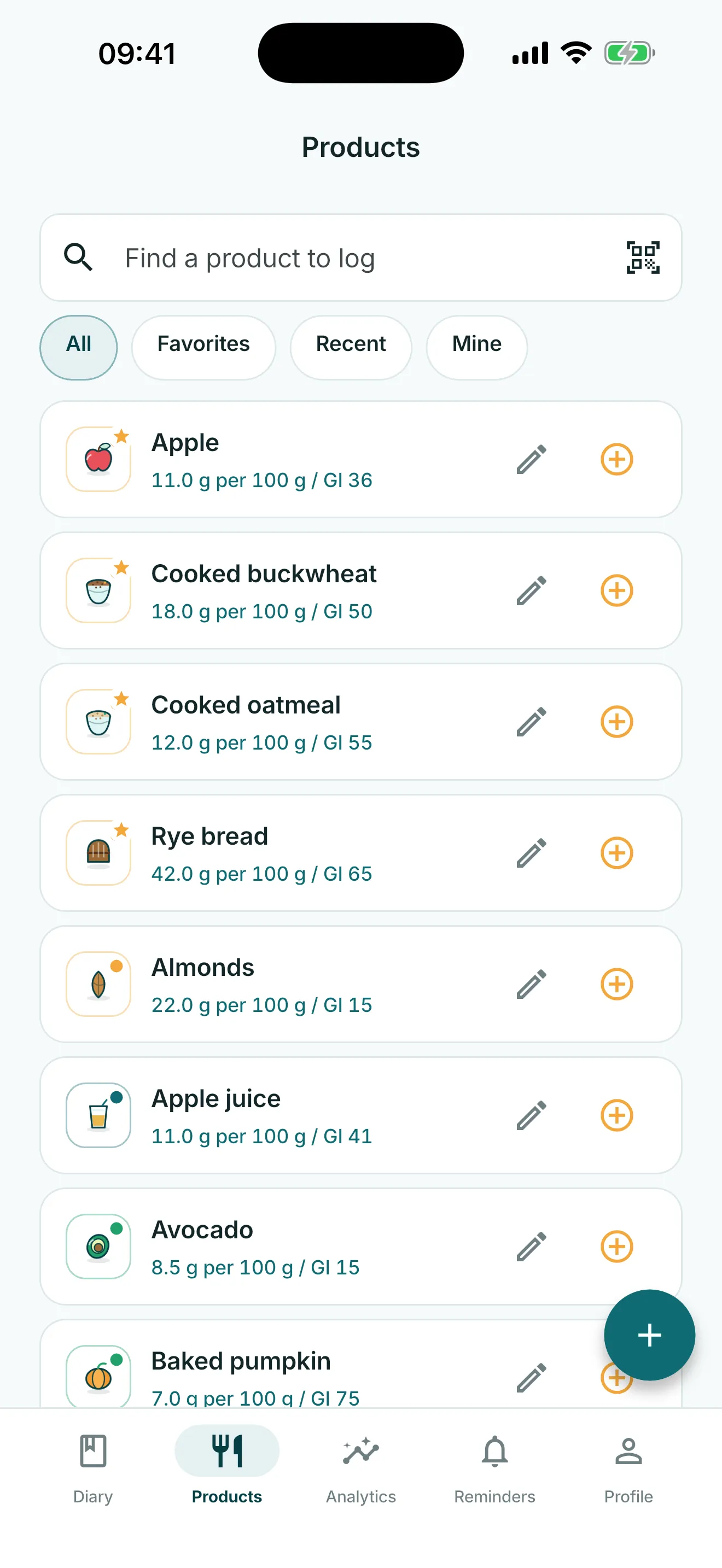
Record carbs and food you already know
Start a meal record with the food name, serving and the carb or bread-unit value you choose to record. Keep the fields separate so a later review can distinguish the food, serving and user-entered amount.
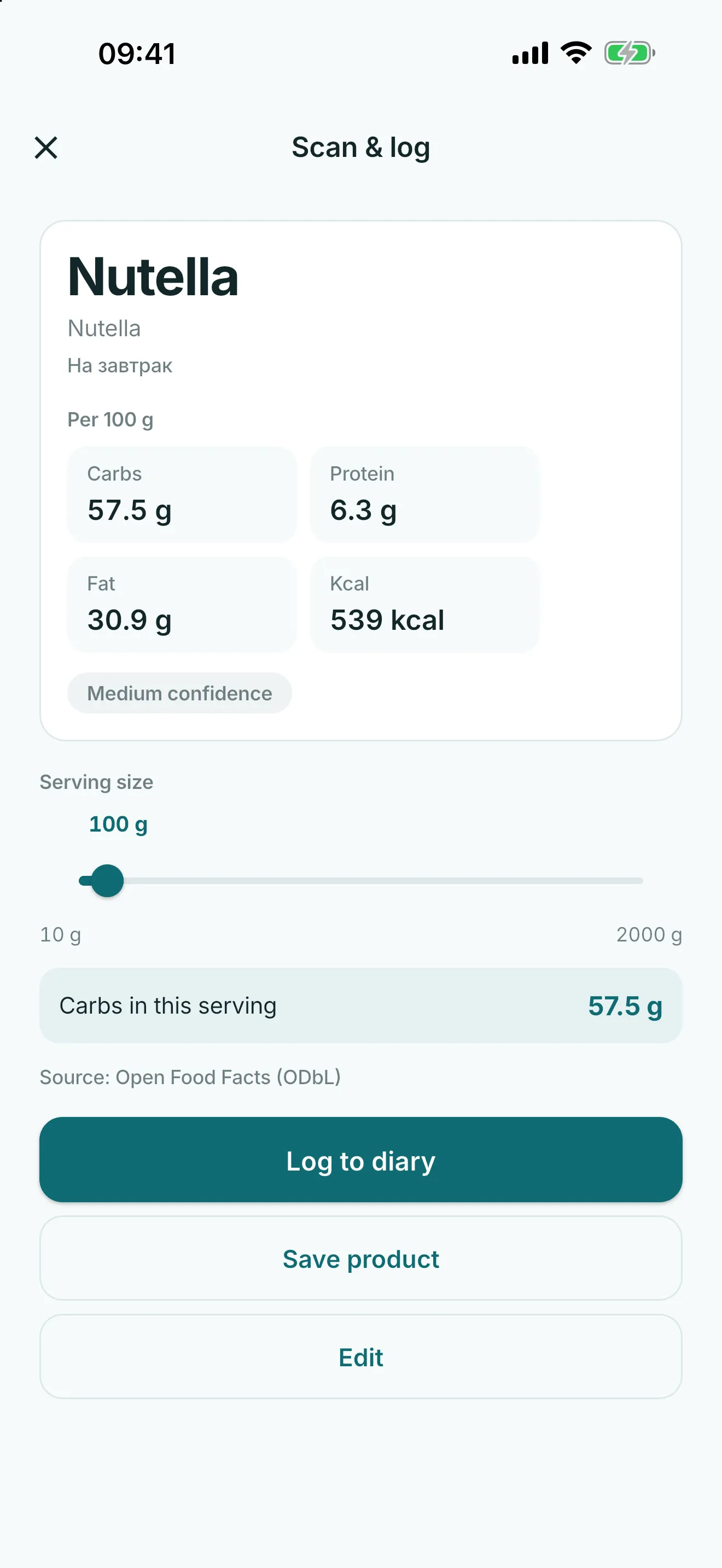
For a packaged food, scan or type a barcode, choose Find online, then Check the label. Confirm or edit the returned reference draft before saving it locally. The Privacy Policy explains what the lookup sends; it does not include glucose or insulin records.
For a repeated meal, use a favorite, recent food, custom food or saved meal template, then review and change the fields for this record before saving.
Values remain user records. Glytrio does not decide how many carbs a person should eat, assess a meal, or turn carb entries into insulin instructions.
- food and carb entries
- bread units for users who track XE/BU
- favorites, recent foods and saved meals
- barcode scan or typed barcode with user-triggered lookup for packaged-food entry
- links between meals and later glucose readings
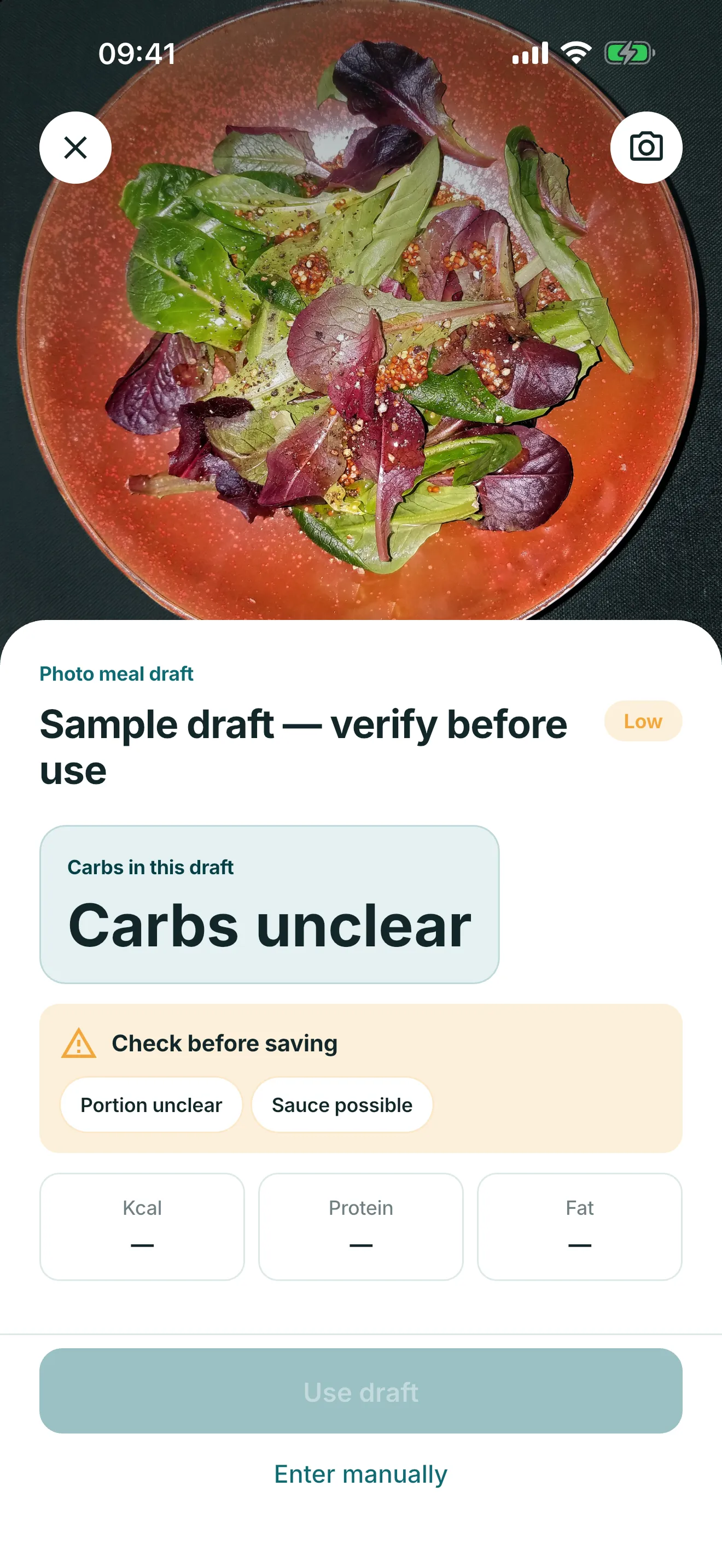
AI photo estimate: limited, reviewed, never for dosing
Glytrio offers five lifetime free photo estimates in available countries other than Russia, Ukraine, Armenia, Georgia and Belarus. After five successful estimates, Plus may be required. The feature is also unavailable when the app cannot determine the country. The app shows its notice before the first photo is sent.
Before the first estimate, the app explains that the photo is sent to Glytrio, OpenAI and USDA for remote processing. It creates an editable draft only: review the food, portion and carbs before saving, or enter the meal manually. It must not be used for insulin dosing or treatment decisions.
Carb diary, not a calculator
Glytrio stores the carb and food facts a user enters. Where the optional photo feature is available, it creates an editable estimate draft that the user must review before saving. Glytrio does not provide nutrition advice, recommend insulin, calculate boluses, apply insulin-to-carb ratios or adjust therapy.
Its role is record keeping and export. Any nutrition plan, ratio, dose or treatment decision belongs outside the app with a qualified clinician.
Reports for patterns, not prescriptions
PDF and CSV exports can include food, carbs, glucose, insulin records and notes so the history is easier to discuss at appointments.
Record-keeping references
Common questions
Is Glytrio a carb calculator?
No. Glytrio records food and carb values but does not calculate how many carbs a person should eat or provide nutrition advice.
Does Glytrio calculate bolus insulin?
No. Glytrio does not calculate boluses or recommend insulin doses.
Can I save common meals?
Yes. Glytrio supports custom foods and saved meal templates for repeated meals.
How do AI photo estimates work?
In available countries other than Russia, Ukraine, Armenia, Georgia and Belarus, the first five successful estimates are free and Plus may be required afterward. The feature is also unavailable when the app cannot determine the country. The photo is sent for remote processing after you accept the app notice. Review every editable draft before saving; it is not for insulin dosing.